Check a Framer website before handover
Built a Framer site for a client or your company? Template QA opens every published page in a real browser at seven screen widths, from a 320 px phone to a 2560 px monitor, and reports each problem with a screenshot and how to fix it in Framer.
Free during the invite-only pilot. It only opens the public pages: no login and no access to the Framer project.
When to run it
Before handover
Run it once the client's content is in. Send the report with the site, so the handover starts from a clean list instead of a bug hunt.
Before the domain goes live
Check the free framer.website address before launch day. The site doesn't need a custom domain, search indexing or a Marketplace listing.
After big edits
A new section or a long CMS item can break a layout at a width nobody looked at. Check again after the client's team makes changes.
It sees what visitors see
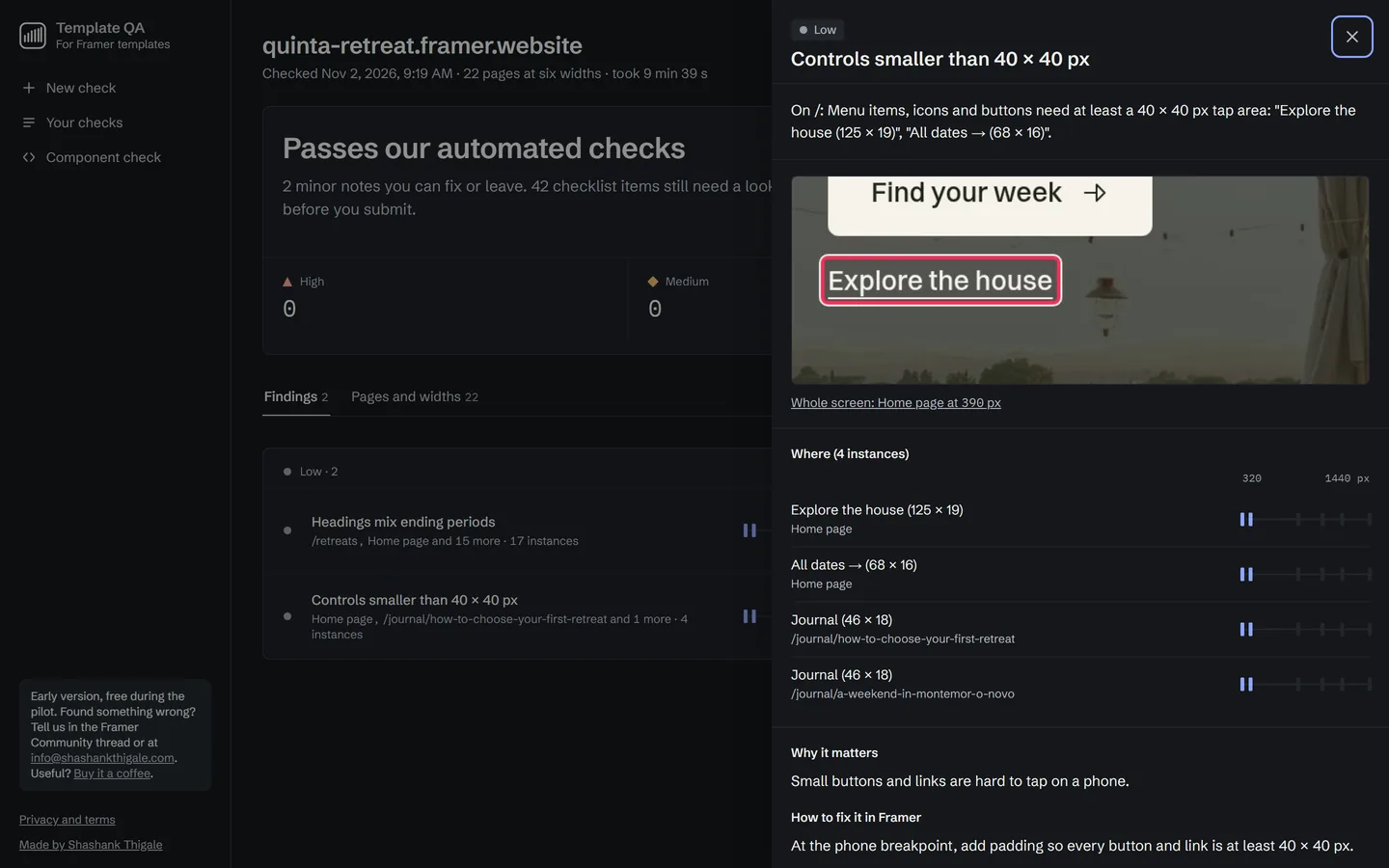
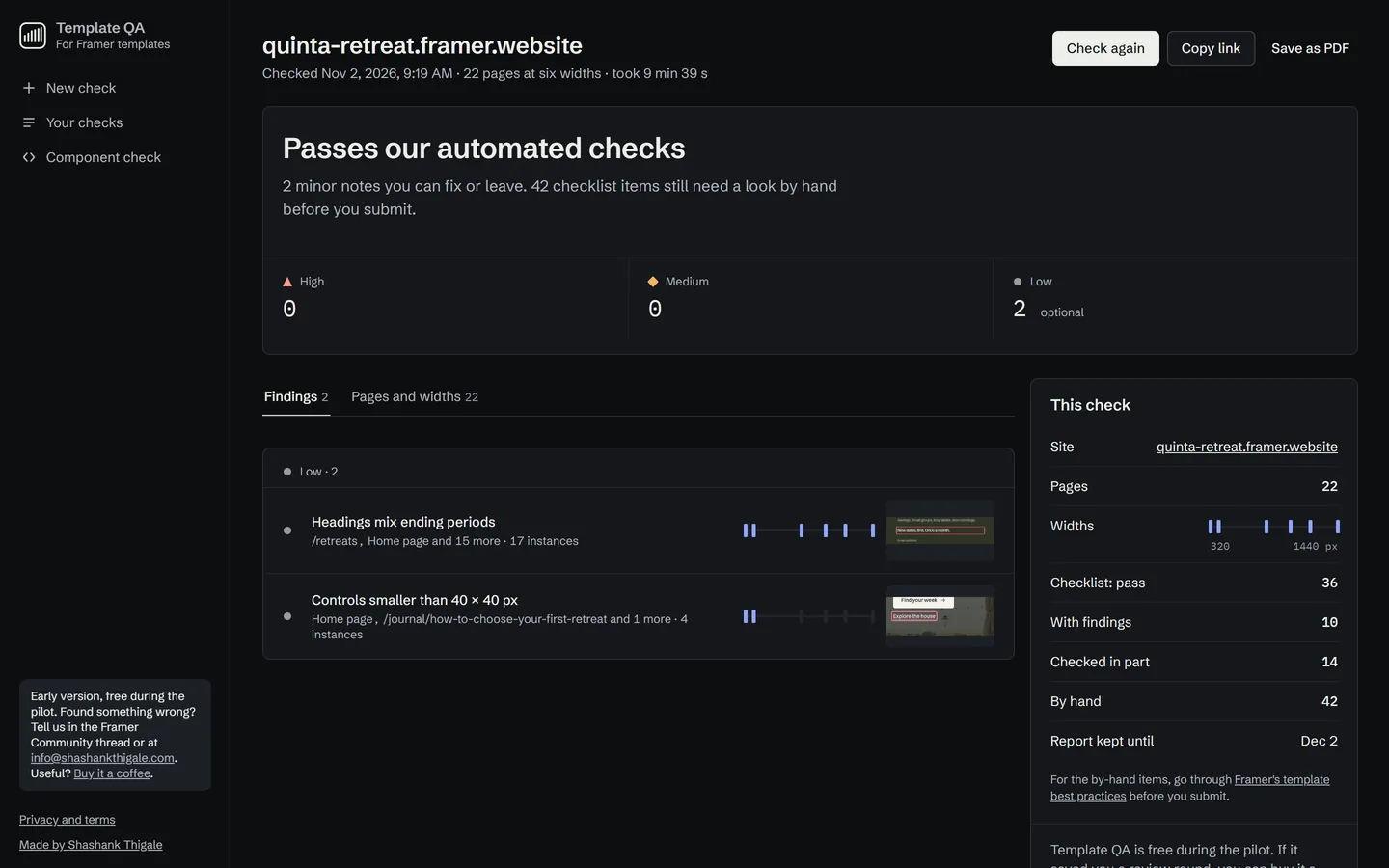
Plugins check the project inside the Framer editor. Template QA checks the published site the way a visitor's browser opens it, at Framer's breakpoints, the widths around them and a 2560 px monitor. It reports layout problems such as cut-off text, overlapping layers and pages that scroll sideways, plus site settings and accessibility basics, and lists what still needs a person's eye as "By hand".
How to use it
Enter the published site
Paste the framer.website or custom-domain address, choose "A client or company site" and add your invite code.
Let it run
About 1 minute for a one-page site, about 10 for 20 pages. You get the report's link right away, so you can close the tab.
Fix, then hand over
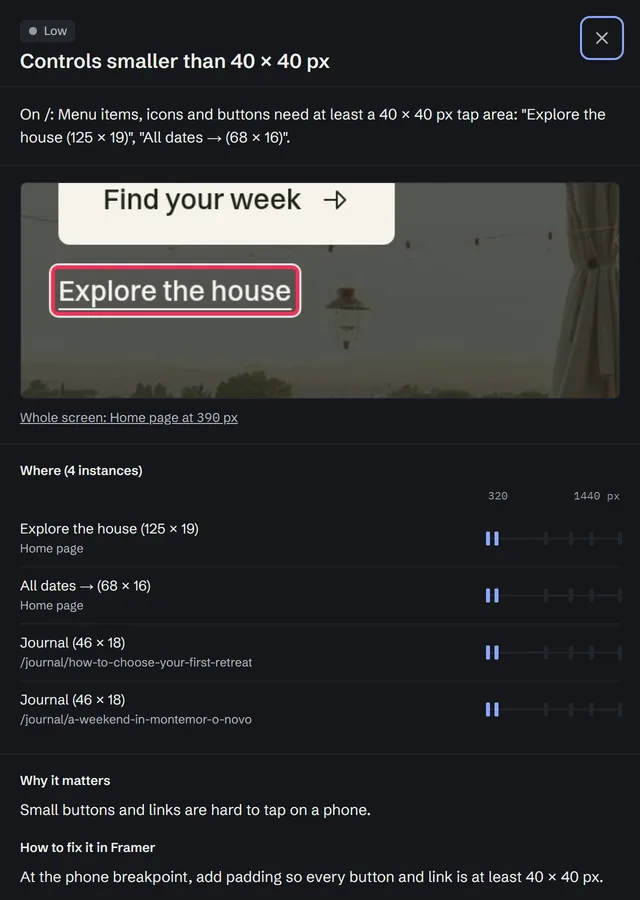
Each finding shows the pages, the widths, a close-up and the fix in Framer. When it says "Ready to hand over", send the site.
Questions
Do I need to list the site on the Framer Marketplace?
No. Template QA checks any published Framer site. Choose "A client or company site" when you start a check and the rules that only apply to Marketplace templates are left out.
Can I check a client's site before the domain is connected?
Yes. Publish it to its free framer.website address and check that. Password-protected pages can't be checked, because the checker doesn't log in.
Can I share the report with my client?
Yes. Each report has its own private link that anyone you send it to can open, and you can save it as a PDF. Reports are deleted automatically after 30 days.
How is it different from a Framer plugin?
Plugins check your project inside the Framer editor. Template QA opens the published site in a real browser at seven screen widths, so it sees what visitors see, such as text that wraps differently on a phone, layers that overlap or a page that scrolls sideways.
Is it free?
Yes, during the pilot. It's invite only for now: email info@shashankthigale.com with the site you'd like to check and you'll get an invite code.
Selling a template instead? See how Template QA checks Marketplace templates.
Check it before your client does
Have an invite code? Start a check now. No code yet? Email for one and add the site you'd like to check.